rightback.ai

Choosing an AI voice app for someone you lost
Recreating a loved one is very different from making an AI voiceover. Here's what matters, how the main types of tools compare, and where RightBack.ai fits.
iPhone (iOS 17 or later) · Setup and the welcome video are free
Five things that matter
- It sounds like them. Built from their real recordings, not a stock voice.
- You can talk, not just listen. A live, two-way conversation, not a recording on loop.
- You can see them. A moving face makes the conversation feel present.
- It's easy with what you already have. Voice notes from WhatsApp, straight from your phone.
- It's honest and private. Clear rules: it never pretends to be the real person, asks for consent and deletes what you don't use.
Step by step: Pedro's first video call
-
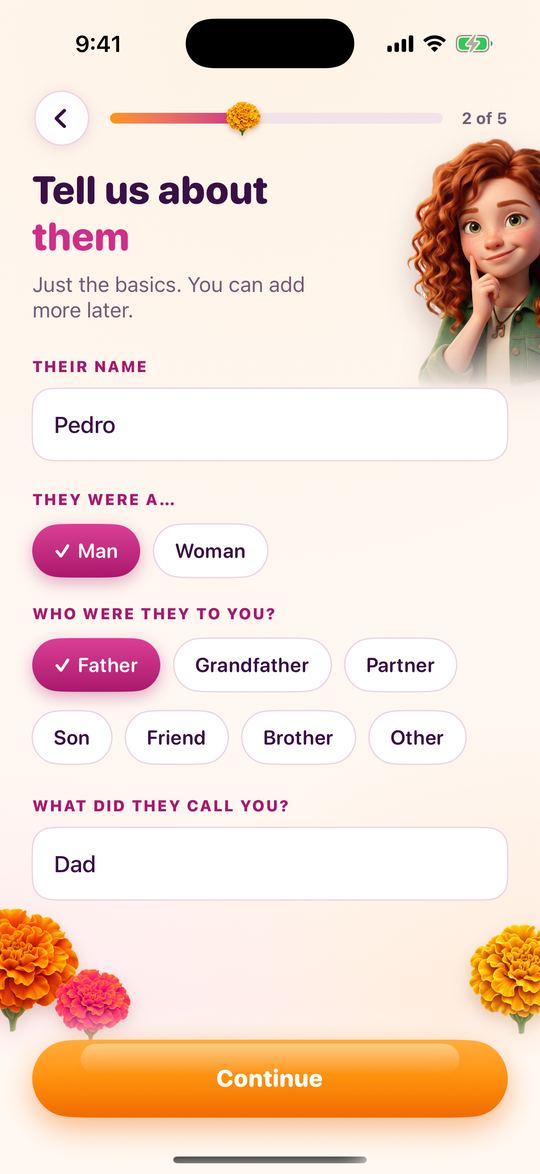
1Tell us about them
Their name, who they were to you and what they used to call you. That's all to start.
-
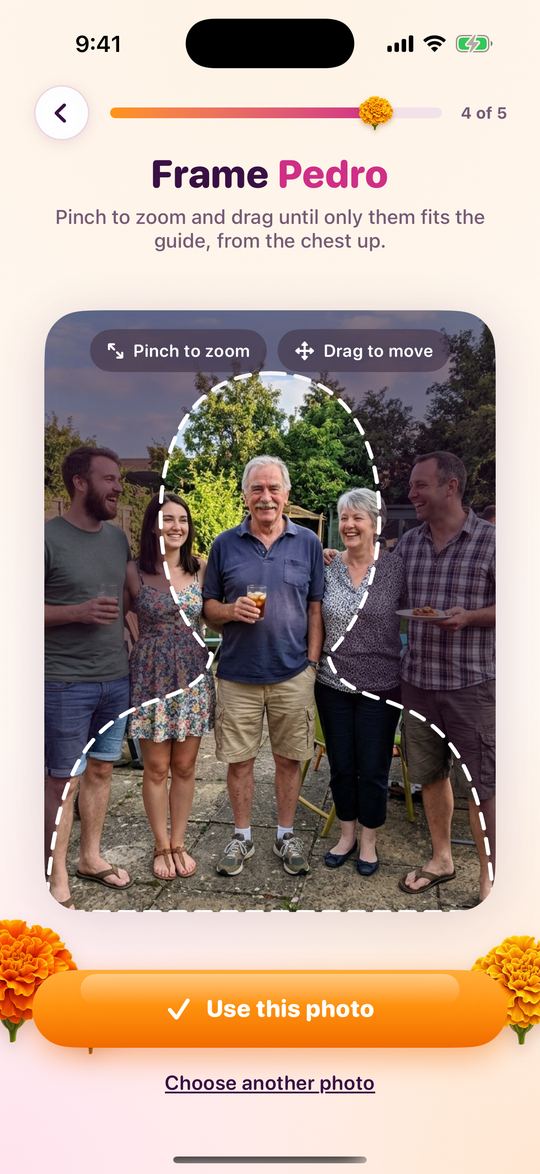
2Choose a photo and frame them
Even a group photo works: pinch and drag until only Pedro fits the dashed guide, from the chest up.
-
3Watch their welcome
In about a minute the photo becomes a short moving portrait. Pedro smiles and says hello. Tap "Talk to Pedro" or "Watch again".
-
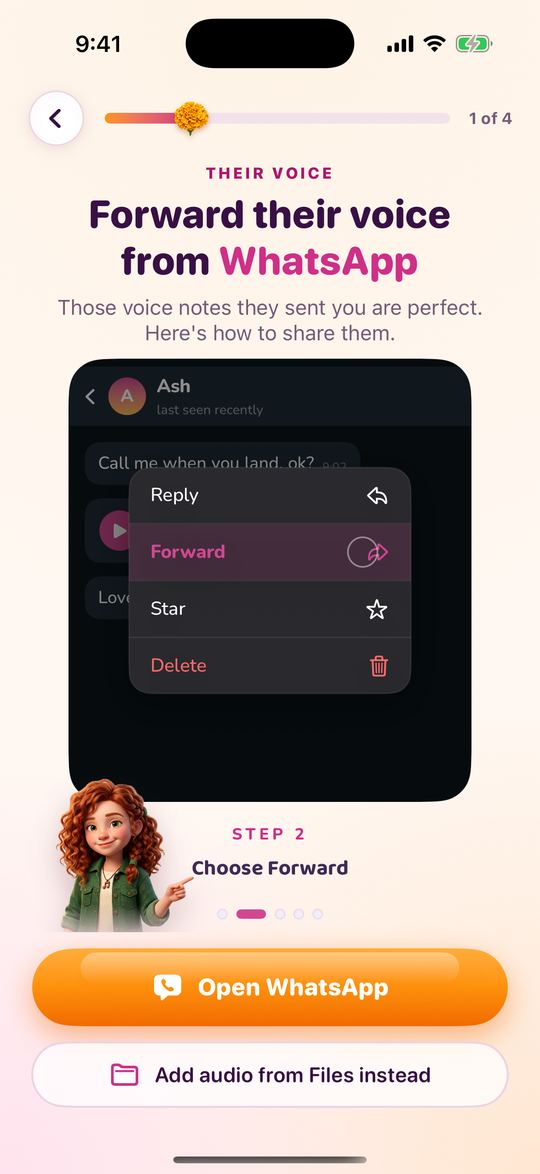
4Add their voice
Forward a few voice notes he sent you on WhatsApp, or add audio from Files. The more you add, the more it sounds like him.
-
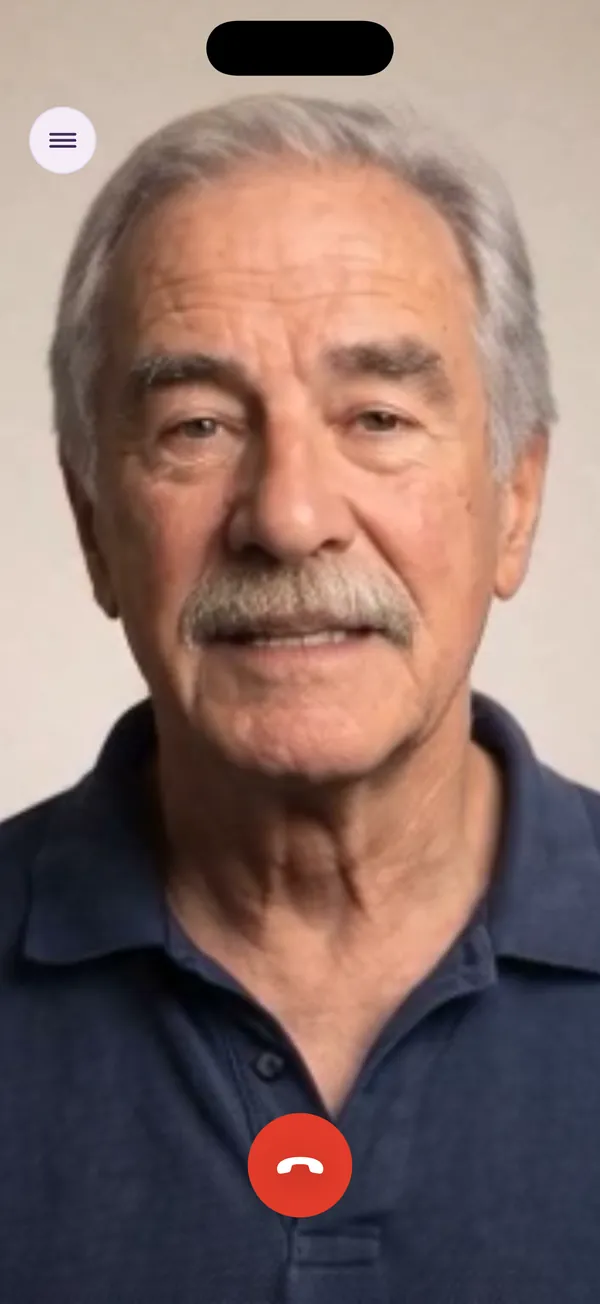
5Start the live video call
Pedro appears full screen and answers in his own voice, in real time. Talk as long as your plan allows.
Types of tools, side by side
| RightBack.ai | General voice cloning tools | Text-to-speech apps | |
|---|---|---|---|
| Made for remembering a loved one | Yes | No | No |
| Recreates a specific person's voice | Yes | Yes | No |
| Live video call with their face | Yes | No | No |
| Real-time conversation | Yes | Rarely | No |
| Personality from your memories | Yes | No | No |
| Forward WhatsApp voice notes | Yes | Varies | No |
Categories are generalized; individual tools vary.
Why RightBack.ai is built for this
RightBack.ai does one thing: helps you talk again with someone you lost. You forward their voice notes, add one photo and a few details, and you can video call them — their face on screen, their voice answering you in real time, in the way they used to speak. It runs on iPhone, needs no account, and the setup and welcome video are free.
This is what a call looks like
A live, full-screen video call recorded in the app: their face from one photo, their voice from their voice notes, answering in real time. You just talk — there are no buttons to hold.
What's free and what needs a plan
Downloading the app, telling us about them, adding and framing their photo, and watching their welcome video are free, and you don't need an account. To talk with them in live voice and video calls you need a plan, from US$3.99 a week in the US (prices vary by country). Every plan includes call minutes per week or per month, up to 10 people, and you can cancel any time in your iPhone's Settings.
Questions people ask
What is the best AI app to recreate a deceased loved one's voice?
For this specific use, choose an app built for it: one that recreates their voice from real recordings, lets you have a live conversation and treats the experience with care. RightBack.ai adds a live video call with their face.
Can general voice cloning tools do this?
Some can copy a voice from samples, but they're made for voiceovers: they usually don't hold a live conversation or capture how the person spoke.
Are text-to-speech apps good for this?
Not really. They read text in a stock voice and can't recreate a specific person.
How do I start with RightBack.ai?
Download the iPhone app, tell us about them, add a photo and watch their free welcome video. To talk with them you choose a plan.


Ready to Reconnect?
Experience the joy of hearing your loved ones' voices again. Start your journey with RightBack.ai and keep their memories alive through meaningful conversations.
Bring them back to life