rightback.ai

Recreate a loved one's voice for free?
Here's exactly what you can do for free with RightBack.ai, what needs a plan, and how to try it without committing to anything.
iPhone (iOS 17 or later) · Setup and the welcome video are free
What's free, and what isn't
With RightBack.ai you can do the whole setup for free: tell us about them, add and frame their photo, and watch a short welcome video where their photo comes to life and greets you. You don't need an account or a credit card for any of that.
Talking with them — live voice and video calls with their recreated voice — needs a plan. We'd rather say it clearly up front than surprise you later.
Step by step: Pedro's first video call
-
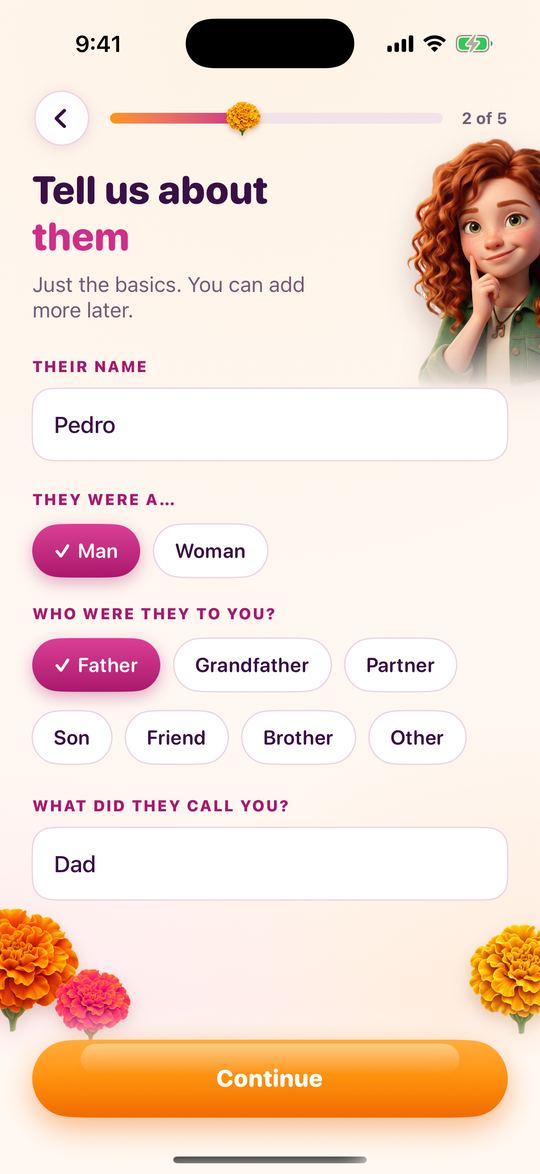
1Tell us about them
Their name, who they were to you and what they used to call you. That's all to start.
-
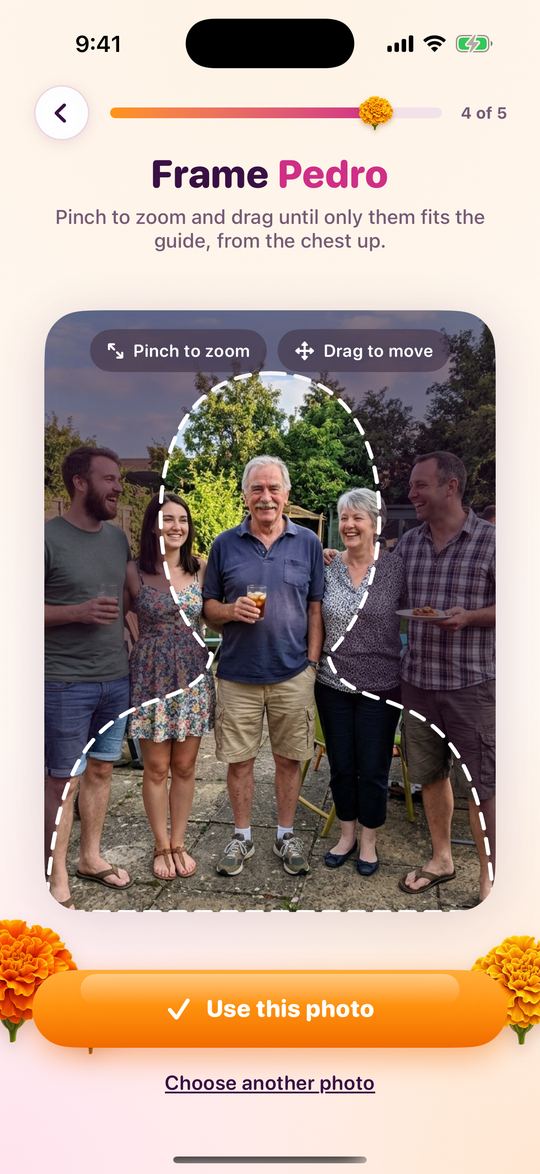
2Choose a photo and frame them
Even a group photo works: pinch and drag until only Pedro fits the dashed guide, from the chest up.
-
3Watch their welcome
In about a minute the photo becomes a short moving portrait. Pedro smiles and says hello. Tap "Talk to Pedro" or "Watch again".
-
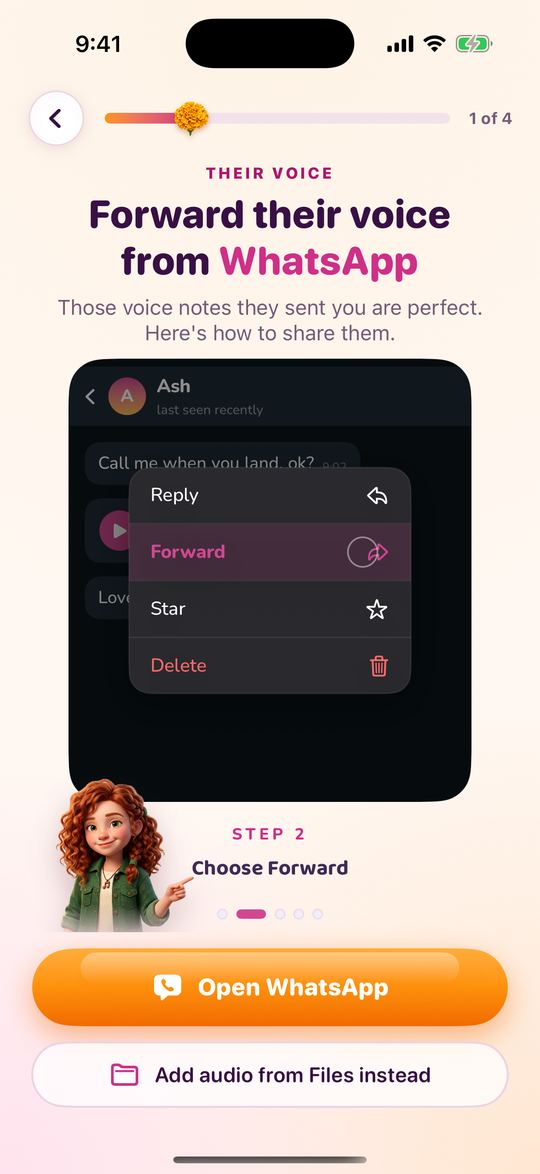
4Add their voice
Forward a few voice notes he sent you on WhatsApp, or add audio from Files. The more you add, the more it sounds like him.
-
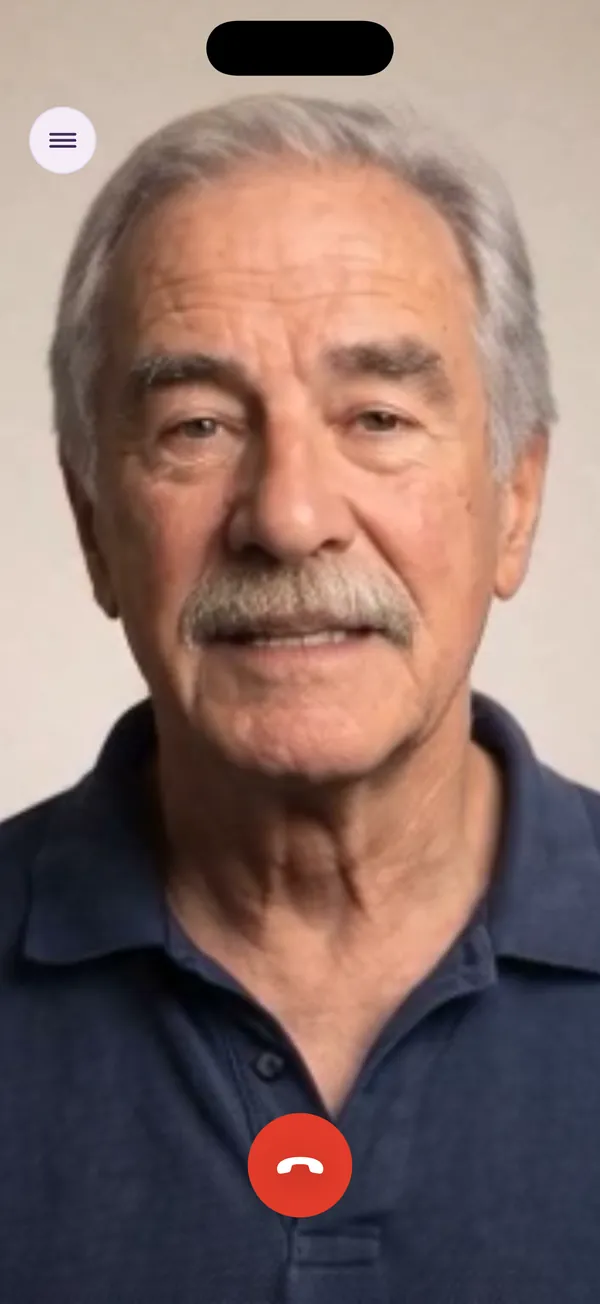
5Start the live video call
Pedro appears full screen and answers in his own voice, in real time. Talk as long as your plan allows.
RightBack.ai vs typical free tools
| RightBack.ai | Typical free tools | |
|---|---|---|
| Sounds like the real person | Yes, built from their voice notes | Usually a generic voice |
| See their face | Yes, live video call from one photo | No |
| Two-way conversation | Yes, in real time | Usually reads text aloud |
| Their personality | From what you tell it | No |
| Free part | Setup and welcome video | Short previews |
Fully free web tools exist, but they usually produce a generic, robotic voice and can't hold a conversation that feels like the person.
How to try it without paying
- Download RightBack.ai on your iPhone and tap Get started.
- Tell us their name, who they were to you and what they called you.
- Add a photo and frame them from the chest up.
- Watch their welcome video. Then decide, calmly, whether you want to continue.
This is what a call looks like
A live, full-screen video call recorded in the app: their face from one photo, their voice from their voice notes, answering in real time. You just talk — there are no buttons to hold.
What's free and what needs a plan
Downloading the app, telling us about them, adding and framing their photo, and watching their welcome video are free, and you don't need an account. To talk with them in live voice and video calls you need a plan, from US$3.99 a week in the US (prices vary by country). Every plan includes call minutes per week or per month, up to 10 people, and you can cancel any time in your iPhone's Settings.
Questions people ask
Is there a completely free way to recreate a deceased person's voice?
Free tools can read text in a generic voice, but they rarely sound like a specific person. With RightBack.ai the setup and the welcome video are free; calls with their recreated voice need a plan.
How much does it cost?
Plans start at US$3.99 a week in the US, with call minutes included. Prices vary by country and you can cancel any time in your iPhone's Settings.
Do I need a credit card to start?
No. You only pay, through Apple, if you choose a plan to start talking with them.
Is it private?
Yes. No account is needed, your voice notes are used only to recreate that person's voice for you, and unused voices are deleted after 30 days.


Ready to Reconnect?
Experience the joy of hearing your loved ones' voices again. Start your journey with RightBack.ai and keep their memories alive through meaningful conversations.
Bring them back to life